
What is Cloud Migration? The 6 R's, Phases, and Essential Tools

Cloud migration is the process of moving a company’s digital assets, services, databases, IT resources, and applications either partially or wholly from on-premises infrastructure into the cloud. It also encompasses moving from one cloud environment to another (known as cloud-to-cloud migration) or transitioning from a public cloud to a private or hybrid cloud environment. This process allows organizations to modernize their infrastructure while improving scalability and operational flexibility. It also enables teams to access applications and data more efficiently from anywhere in the world.
Think of it as a corporate physical relocation, but instead of packing up desks and file cabinets, you are transferring digital workloads from physical servers in your basement to secure, highly optimized data centers managed by providers like Amazon Web Services (AWS), Microsoft Azure, or Google Cloud Platform (GCP). These global cloud platforms provide reliable infrastructure, built-in security, and advanced performance optimization. As a result, businesses can reduce hardware maintenance while focusing more on innovation and growth.
Why Cloud Migration Matters: Technical and Business Drivers
Before diving into the "how," it is vital to understand the "why." Organizations do not undertake the complex process of cloud migration without expecting significant returns.
1. Shift from CapEx to OpEx of Cloud Migration
Traditional infrastructure requires a massive Capital Expenditure (CapEx). You buy servers, network switches, and storage arrays that depreciate over time. Cloud computing shifts this to an Operational Expenditure (OpEx) model. You pay only for the compute and storage you consume (Pay-As-You-Go), allowing for better cash flow management and resource allocation.
2. Elasticity and Scalability
On-premises scaling requires purchasing and provisioning new hardware, a process that can take weeks. Cloud environments offer elasticity. Through auto-scaling configurations, your infrastructure can automatically spin up new virtual machines (VMs) or container instances during traffic spikes and spin them down when demand wanes, ensuring you never overpay for idle resources.
3. Enhanced Security and Compliance
Top-tier cloud providers invest billions in cybersecurity. While security in the cloud operates on a "Shared Responsibility Model," the provider handles the physical security of the servers, network architecture, and host operating systems. They also offer out-of-the-box compliance frameworks for HIPAA, GDPR, SOC 2, and more.
4. High Availability and Disaster Recovery (DR)
Top-tier cloud providers invest billions in cybersecurity. While security in the cloud operates on a "Shared Responsibility Model," the provider handles the physical security of the servers, network architecture, and host operating systems. They also offer out-of-the-box compliance frameworks for HIPAA, GDPR, SOC 2, and more.
The "6 R’s" of Cloud Migration Strategy
Not all applications should be migrated in the same way. In 2011, Gartner outlined five cloud migration strategies, which AWS later expanded into the widely accepted "6 R's." Choosing the right strategy for each application is the bedrock of a successful migration.
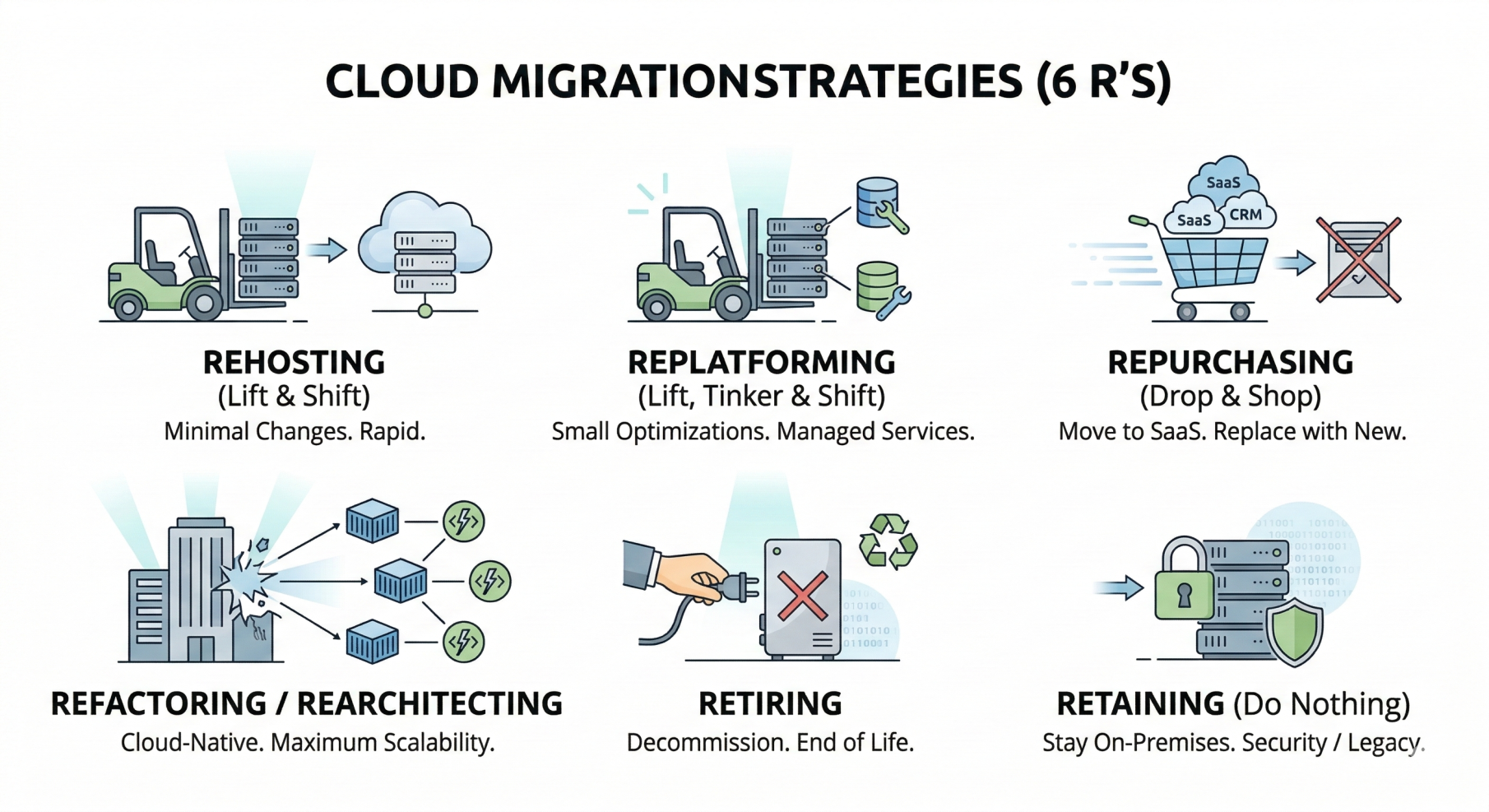
1. Rehosting ("Lift and Shift")
- What it is: Moving applications from the on-premises environment to the cloud exactly as they are, without making any architectural changes.
- Best for: Legacy migrations where rapid migration is required, or for commercial off-the-shelf (COTS) applications where code cannot be modified.
- Pros: Fast, cost-effective initially, requires minimal cloud expertise.
- Cons: Does not leverage cloud-native features (like auto-scaling or managed services), which can lead to higher long-term operational costs.
2. Replatforming ("Lift, Tinker, and Shift")
- What it is: Making a few cloud optimizations to achieve a tangible benefit, but without changing the core architecture of the application.
- Best for: Moving a self-hosted database (like MySQL on a VM) to a managed relational database service (like Amazon RDS or Cloud SQL).
- Pros: Reduces management overhead (e.g., no more database patching) while remaining relatively fast to execute.
- Cons: Requires thorough testing to ensure the "tinkering" hasn't broken application dependencies.
3. Repurchasing ("Drop and Shop")
-
What it is: Moving away from a legacy on-premises application entirely and moving to a Software-as-a-Service (SaaS) platform.
-
Best for: Replacing a custom-built, aging CRM with Salesforce, or moving from an on-premise Exchange server to Microsoft 365.
-
Pros: Eliminates infrastructure management and software maintenance entirely.
-
Cons: Requires retraining staff, migrating historical data into a new format, and potential vendor lock-in.
4. Refactoring / Rearchitecting
- What it is: Completely overhauling the application architecture to make it cloud-native. This usually involves breaking down a monolithic application into microservices using Docker containers or serverless architectures (like AWS Lambda or Azure Functions).
- Best for: Applications that need to add new features quickly, require massive scalability, or need to drastically reduce compute costs.
- Pros: Maximum ROI in the long run, extreme scalability, and agility.
- Cons: The most expensive, time-consuming, and resource-intensive strategy. Requires high-level engineering skills.
5. Retiring
- What it is: Identifying IT assets that are no longer useful and simply turning them off.
- Best for: Redundant applications, outdated development environments, or services that have been absorbed by other platforms.
- Pros: Immediate cost savings and reduced security attack surface.
- Cons: Requires careful auditing to ensure no obscure business processes depend on the retired asset
6. Retaining (Do Nothing)
- What it is: Keeping the application exactly where it is in the on-premises environment.
- Best for: Applications governed by strict data sovereignty laws that forbid cloud storage, ultra-low latency applications running on factory floors, or legacy systems that are too fragile to move but still critical.
- Pros: Zero migration risk.
- Cons: Continues to consume on-premises resources and misses out on cloud benefits.
The Phases of a Successful Cloud Migration
A technical migration is not a weekend project; it is a phased evolution. Rushing the process guarantees downtime and cost overruns.
Phase 1: Assessment and Discovery
You cannot migrate what you do not understand. In this phase, you must map out your entire IT portfolio.
- Application Dependency Mapping: Use tools to understand how applications communicate with each other. Moving Application A without moving Database B could introduce crippling network latency.
- Cost Analysis: Calculate your current Total Cost of Ownership (TCO) and use cloud pricing calculators to estimate future costs.
- Security Auditing: Identify what data is personally identifiable information (PII) and what compliance standards apply to it.
Phase 2: Choosing the Right Environment
Determine your target architecture based on your assessment.
- Public Cloud: AWS, Azure, GCP. Highly scalable, cost-effective.
- Private Cloud: Hosted on-premise or by a dedicated third-party. High security, lower scalability.
- Hybrid Cloud: A mix of on-premises infrastructure and public cloud, connected via a secure VPN or dedicated line (like AWS Direct Connect).
- Multi-Cloud: Using multiple public cloud providers to avoid vendor lock-in and leverage the best-in-class tools from each.
Phase 3: Migration Execution
This is where the actual data transfer and workload deployment happen.
- Pilot Migration: Start with a non-critical workload. Use this to test your processes, security protocols, and team readiness.
- Data Migration: Depending on data volume, you might transfer data over the internet using VPNs, or use physical data transfer devices (like AWS Snowball) for petabyte-scale transfers.
- Cutover: This is the critical moment when traffic is routed from the old on-premises system to the new cloud system. This is usually done during off-peak hours using DNS routing changes.
Phase 4: Post-Migration Optimization
The migration doesn't end after the cutover.
- Rightsizing: Monitor your cloud instances. If you provisioned a machine with 32GB of RAM but it only uses 8GB, downsize it to save money.
- Security Posture Management: Implement tools like Cloud Security Posture Management (CSPM) to continuously scan for misconfigurations (e.g., publicly accessible storage buckets).
- Cost Optimization: Purchase Reserved Instances or Savings Plans for steady-state workloads to reduce costs by up to 70% compared to on-demand pricing.
Overcoming Common Cloud Migration Challenges
While the benefits are immense, the road to the cloud is fraught with technical hurdles.
Downtime & Business Interruption | Use "blue/green" or "canary" deployment strategies. Replicate databases asynchronously before the final cutover to ensure zero data loss and minimal downtime. |
Vendor Lock-in | Architect applications using open-source, cloud-agnostic tools like Kubernetes and Terraform. Avoid proprietary serverless functions if portability is a primary concern. |
Unexpected Cloud Costs | Implement strict tagging protocols for all cloud resources. Set up automated billing alarms to alert management when spending exceeds predefined thresholds. |
Latency Issues | Carefully plan the migration of dependent services. Ensure caching layers (like Redis or Memcached) and Content Delivery Networks (CDNs) are configured to minimize round-trip times to the end-user. |
Essential Tools for Cloud Migration
Major cloud providers offer robust, native tools to facilitate seamless transitions:
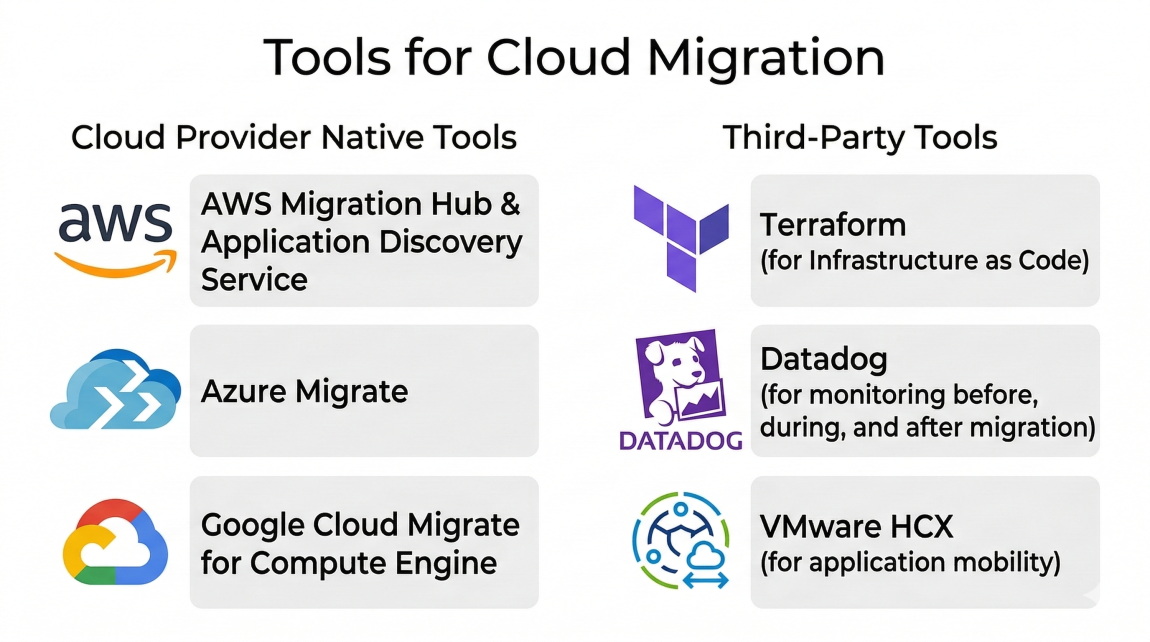
AWS Migration Hub & Application Discovery Service: Centralized tracking and data collection for on-premises servers
Azure Migrate: A centralized hub to assess and migrate on-premises servers, infrastructure, applications, and data to Azure.
Google Cloud Migrate for Compute Engine: Facilitates the enterprise-scale migration of VMs to GCP.
Third-Party Tools: Terraform (for Infrastructure as Code), Datadog (for monitoring before, during, and after migration), and VMware HCX (for application mobility).
Conclusion: The Backbone of the Digital Economy
Cloud migration is a transformative journey that redefines how an organization operates, innovates, and delivers value to its customers. By thoroughly understanding the 6 R's, meticulously planning your architecture, and utilizing the right migration tools, you can mitigate risks and unlock the true potential of cloud computing scalability, security, and cost-efficiency. A well structured migration strategy also improves operational resilience, enhances system performance, and enables teams to focus more on innovation rather than infrastructure maintenance.
The key to a successful migration is recognizing that it is not just an IT project; it is a fundamental business shift that requires alignment across all departments. When leadership, operations, and technology teams collaborate, organizations can accelerate digital transformation and maximize the long-term value of cloud investments. If your business is planning to move workloads to the cloud, explore our Cloud Migration Services to ensure a secure, seamless, and future-ready transition tailored to your organization’s needs.
Blogs


Office Location
5th Floor, 1174, 24th Main Rd 2nd Sector,
Garden Layout, Sector 2, HSR Layout, Bengaluru,
Karnataka 560102
Email Us: info@as13.ai
Follow Us


Roles
AI
Cyber Security
