
What is Log Management? Lifecycle, Benefits, Tools, and Best Practice
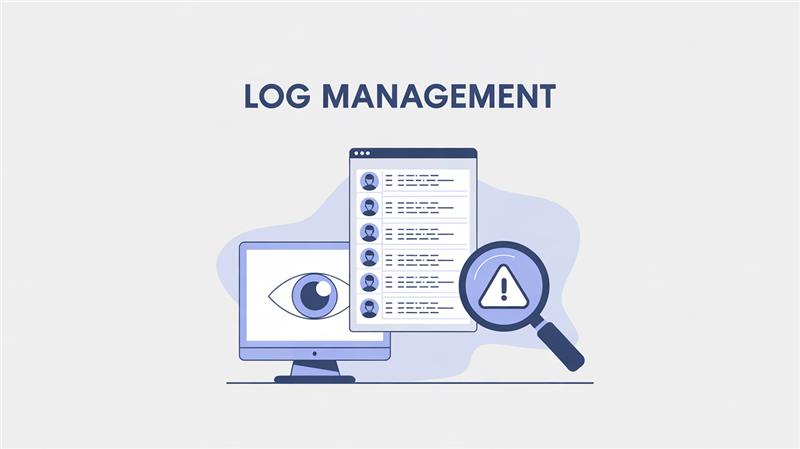
Log management is the continuous process of collecting, parsing, storing, analyzing, and disposing of data from software applications, infrastructure, and security devices. It transforms unstructured, fragmented streams into a centralized, searchable source of truth. As IT environments scale into complex cloud architectures, log volumes grow exponentially. Every digital footprint holds vital operational intelligence. Without a pipeline to normalize this data, insights remain trapped in isolated silos, effectively hindering proactive capacity planning and maintenance.
When system crashes or breaches occur, administrators cannot manually search dozens of individual servers. A robust log management system automates data aggregation into a unified view. This empowers DevOps, SREs, and SOC analysts to query massive datasets in milliseconds, configure automated anomaly alerts, and build visual health dashboards. Rapid accessibility drastically reduces Mean Time to Resolution (MTTR) during critical incidents and enables proactive threat hunting. Additionally, maintaining comprehensive logs is essential for strict regulatory compliance, allowing organizations to conduct thorough post incident forensics and clearly demonstrate historical accountability.
The Log Management Lifecycle: How It Works
To truly understand log management, we must look at the data pipeline. The journey of a log message from its creation to its eventual deletion follows a specific, multi-stage lifecycle.
1. Generation and Collection (Ingestion)
Every piece of hardware and software generates logs. This includes operating systems (Windows Event Logs, Linux Syslog), web servers (Nginx, Apache), databases (MySQL, PostgreSQL), and custom applications. The first step in the pipeline is collecting this data. Lightweight software agents, also known as "shippers" (such as Filebeat, Fluentd, or Logstash), are installed on the host machines. These agents monitor log files in real-time and forward the newly written lines over the network to a centralized server.
2. Parsing and Processin
Logs are notoriously messy. An application might output logs in plain text, while a firewall might output them in a proprietary format. Before this data can be searched efficiently, it must be normalized. During the processing phase, the log management system:
- Parses the raw string of text to extract meaningful fields (e.g., Timestamp, IP Address, User ID, Error Code).
- Enriches the data (e.g., translating an IP address into a geographic location using a GeoIP database).
- Filters out useless noise to save storage costs.
3. Storage and Retention
Once logs are structured, they are indexed and written to a database optimized for text search (such as Elasticsearch or OpenSearch). Because log data is generated continuously, storage can quickly become expensive. Therefore, logs are managed via a tiered retention strategy:
- Hot Storage: Recent logs (e.g., the last 7 to 14 days) are kept on fast, expensive SSDs for immediate searching and troubleshooting.
- Warm Storage: Older logs (e.g., 14 to 90 days) are moved to cheaper, slower storage for occasional querying.
- Cold Storage (Archive): Logs kept purely for compliance reasons (often 1 to 7 years) are compressed and sent to object storage (like AWS S3 or Google Cloud Storage).
4. Search and Analysis
This is where the magic happens. With logs centrally stored and indexed, engineers can use specialized query languages (like PromQL, Lucene, or SPL) to hunt for specific events. Whether you are looking for all HTTP 500 Internal Server Error responses in the last hour or tracking the login attempts of a specific user, the search phase turns raw data into answers.
5. Log Management Alerting and Visualization
Modern log management goes beyond manual searching; it is proactive. Engineers can configure rules that trigger alerts (via Slack, PagerDuty, or Email) when certain thresholds are met, for instance, if CPU utilization spikes above 90%, or if 50 failed login attempts occur from a single IP within one minute. Furthermore, visualization tools (like Kibana or Grafana) allow teams to build real-time dashboards that display system health at a glance
Why is Log Management Crucial? (The Business Value)
Investing in a proper log manageme
1. Rapid Troubleshooting and Root Cause Analysis
Downtime is expensive. When a production service goes down, the Mean Time To Resolution (MTTR) is the most critical metric. Log management provides the exact sequence of events that led up to a failure. Instead of guessing why an e-commerce checkout failed, developers can trace the exact user request, view the database latency, and read the specific stack trace error, all from one interface.
2. Cybersecurity and SIEM Integration
In the realm of security, logs are the ultimate forensic evidence. Security Information and Event Management (SIEM) systems rely heavily on log management to detect threats. By analyzing firewall logs, authentication logs, and endpoint data, security teams can identify malicious activities such as brute-force attacks, lateral movement, or unauthorized data exfiltration. Furthermore, in the event of a breach, logs provide the necessary audit trail to understand what data was compromised and how the attacker gained entry.
3. Compliance and Auditing
Heavily regulated industries (like finance and healthcare) are subject to strict compliance frameworks such as HIPAA, PCI-DSS, SOC 2, and GDPR. These regulations mandate that organizations maintain an immutable audit trail of system access and data modifications. A centralized log management solution guarantees that this data is retained securely, preventing tampering and ensuring that auditors can easily verify compliance.
4. Performance Monitoring and Business Intelligence
Logs contain more than just errors; they contain operational metrics. By aggregating access logs, businesses can track user behavior, feature adoption rates, and application performance (such as average page load times). This data is invaluable for product managers and business analysts looking to optimize the user experience.
Key Challenges in Log Management
While the benefits are clear, managing logs at an enterprise scale is not without its hurdles. Teams typically face the following challenges:
- Data Volume and Velocity: Modern microservices architectures can generate terabytes of logs per day. Scaling the storage and compute power to ingest and index this data in real-time requires significant engineering effort.
- Cost Management: Storing massive amounts of searchable data is expensive. If teams do not filter out "junk" logs (like excessive debug information), storage costs can spiral out of control.
- Data Variety: Logs come from disparate sources in countless formats. Building and maintaining the parsing rules (Regex) to normalize this data can be highly complex.
- Security of the Logs: Because logs often contain sensitive data (Personally Identifiable Information, API keys, session tokens), the log management system itself becomes a high-value target for attackers. Logs must be scrubbed of sensitive data before indexing, and access must be strictly controlled.
Best Practices for Effective Log Management
To overcome the challenges and maximize the value of your log data, consider implementing these technical best practices:
1. Implement Structured Logging
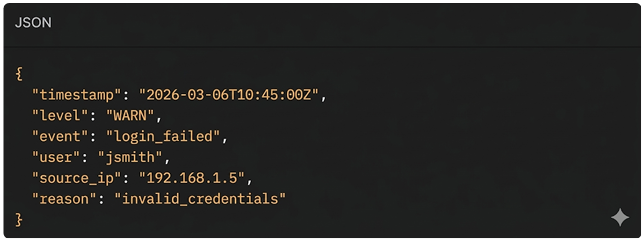
Instead of writing logs as plain text strings, configure your applications to output logs in a structured format, typically JSONTo overcome the challenges and maximize the value of your log data, consider implementing these technical best practices:
Bad (Unstructured):

Good (Structured):
2. Centralize, Don't Isolate
Ensure that absolutely all logs—from edge routers to backend databases—are sent to a single, unified platform. Data silos prevent correlation. An application error might be the direct result of a database timeout, which in turn was caused by a network switch failure. Centralization is required to connect these dots.
3. Mask Sensitive Data
Never log plain-text passwords, credit card numbers, or sensitive PII. Implement automated scrubbing/masking at the ingestion layer to replace sensitive strings with hashes or asterisks before the data is written to disk.
4. Establish Strict Retention Policies
Do not keep all logs in expensive hot storage indefinitely. Define retention policies based on the utility of the log. Keep application error logs searchable for 30 days, but archive HTTP access logs to cold storage after 7 days to optimize your cloud bill.
5. Use Correlation IDs (Distributed Tracing)
In a microservices architecture, a single user request might travel through 10 different services. Generate a unique trace_id at the API gateway and pass it along in the headers to every downstream service. Ensure every service includes this trace_id in its logs. This allows you to query a single ID and see the entire lifecycle of a request across your entire infrastructure.
Popular Log Management Tools and Stacks
The market is filled with powerful tools designed to handle log management at scale. Some of the industry standards include:
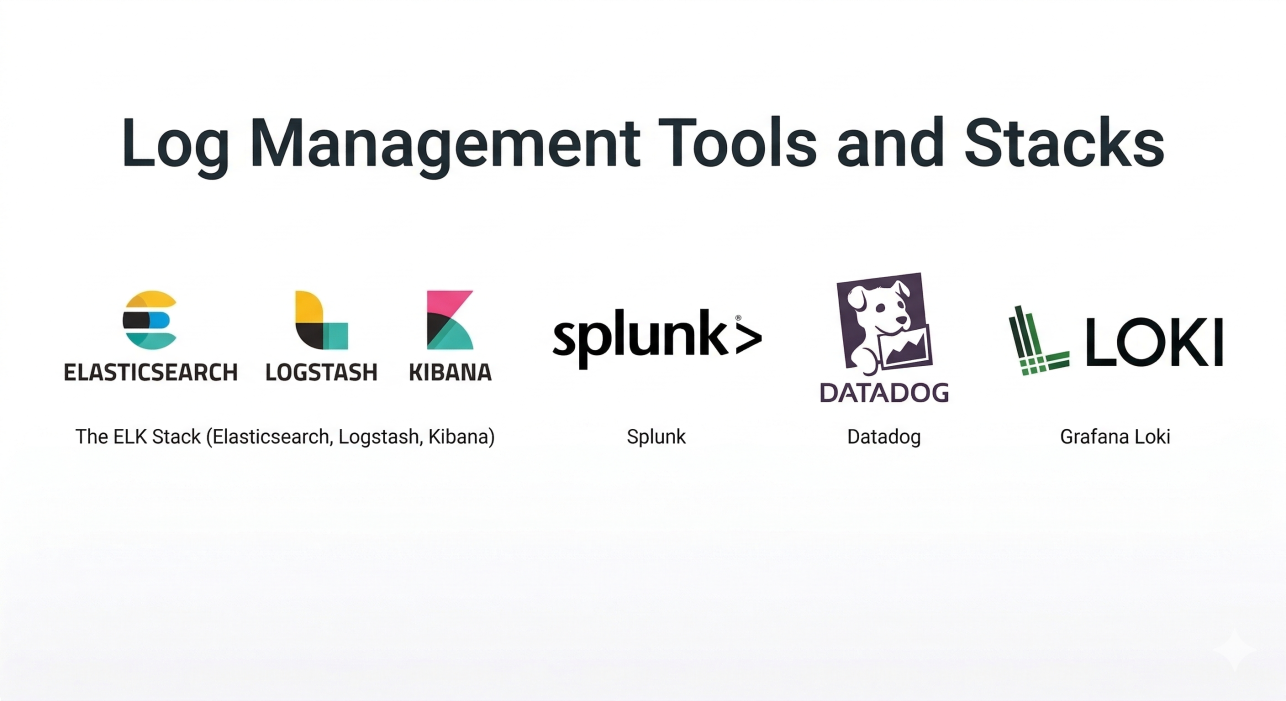
The ELK Stack (Elasticsearch, Logstash, Kibana):
The most popular open-source log management stack. It offers immense flexibility and power, though managing an Elasticsearch cluster at scale requires dedicated expertise.
Splunk
A heavyweight, enterprise-grade commercial solution known for its incredibly powerful Search Processing Language (SPL) and advanced SIEM capabilities.
Datadog
A cloud-native, SaaS-based observability platform that seamlessly integrates log management with infrastructure monitoring and Application Performance Monitoring (APM).
Grafana Loki
A highly cost-effective log aggregation system inspired by Prometheus. Unlike Elasticsearch, Loki only indexes metadata (labels), making it significantly cheaper to run and an excellent choice for Kubernetes environments.
Conclusion: The Backbone of the Digital Economy
In the modern digital landscape, data is your most valuable asset, and your system logs are the raw material of operational intelligence. Log management is no longer just a chore left to system administrators; it is a strategic necessity that bridges the gap between development, operations, and security. As organizations adopt cloud-native architectures and distributed systems, the volume and complexity of log data continue to grow rapidly. Without a proper log management strategy, valuable insights remain buried in massive streams of unstructured data.
By centralizing log data, adopting structured logging, and using modern analytics tools, organizations can turn scattered logs into actionable operational intelligence. A strong log management pipeline reduces downtime, improves security visibility, and accelerates incident response. Solutions from AS13.AI help businesses implement scalable log management systems that transform raw data into meaningful insights.
Blogs


Office Location
5th Floor, 1174, 24th Main Rd 2nd Sector,
Garden Layout, Sector 2, HSR Layout, Bengaluru,
Karnataka 560102
Email Us: info@as13.ai
Follow Us


Roles
AI
Cyber Security
