What is Remote Monitoring and Management (RMM)?
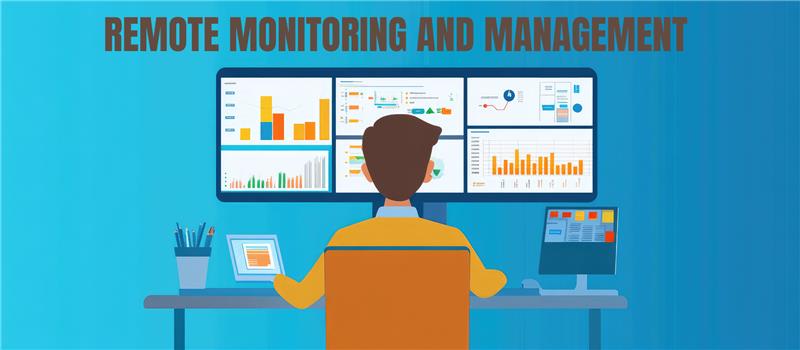
Remote Monitoring and Management (RMM) serves as the operational command center for modern IT environments, enabling administrators to oversee, secure, and maintain distributed network assets from a single, centralized dashboard. By deploying lightweight software agents across workstations, servers, and network devices, RMM platforms gather continuous telemetry data that fundamentally eliminates the outdated "break-fix" paradigm. This real-time visibility enables IT professionals to transition toward an automated, proactive strategy, detecting performance bottlenecks, pushing critical security patches, and executing remediation scripts long before end-users experience any disruption.
As hybrid workloads and decentralized infrastructures scatter corporate hardware globally, relying on localized, manual maintenance is no longer physically or financially viable. Whether utilized by Managed Service Providers (MSPs) scaling multi tenant operations or internal IT teams securing a globally dispersed workforce, RMM is the definitive framework for robust endpoint governance. This guide will dissect the underlying architecture of remote monitoring and management, detailing its core automation features, critical business advantages, deployment best practices, and the essential criteria needed to select the right platform to future-proof your tech stack.
The Core Architecture: How Remote Monitoring and Management (RMM) Works
To truly answer "what is Remote Monitoring and Management (RMM)," we must look under the hood at its architecture. At its foundation, an RMM platform is designed to give IT administrators a centralized, single-pane-of-glass view into a distributed IT network.
The mechanics of Remote Monitoring and Management (RMM) typically revolve around three core components:
1. The RMM Agent
The backbone of any Remote Monitoring and Management (RMM) system is the lightweight software agent installed on target endpoints (workstations, servers, mobile devices, or virtual machines). This agent continuously collects telemetry data regarding device health, performance metrics (CPU, RAM, disk usage), and software status. It operates silently in the background, requiring minimal system resources, and communicates securely with the central RMM server.
2. The Centralized Dashboard and Server
Data collected by the agents is transmitted to the RMM server (increasingly hosted in the cloud, though on-premises options exist). The server aggregates this data and presents it on an intuitive dashboard. This allows IT administrators to monitor thousands of endpoints simultaneously, regardless of their physical location.
3. SNMP and Network Monitoring
While agents handle endpoints, Remote Monitoring and Management (RMM) tools also utilize protocols like Simple Network Management Protocol (SNMP) to monitor agentless devices. This includes network switches, routers, firewalls, and printers, providing a holistic view of the entire network topology.
Essential Features of Remote Monitoring and Management (RMM) Software
Modern RMM platforms have evolved from simple alerting tools into robust IT automation engines. Below are the critical features that define enterprise-grade Remote Monitoring and Management (RMM) solutions.
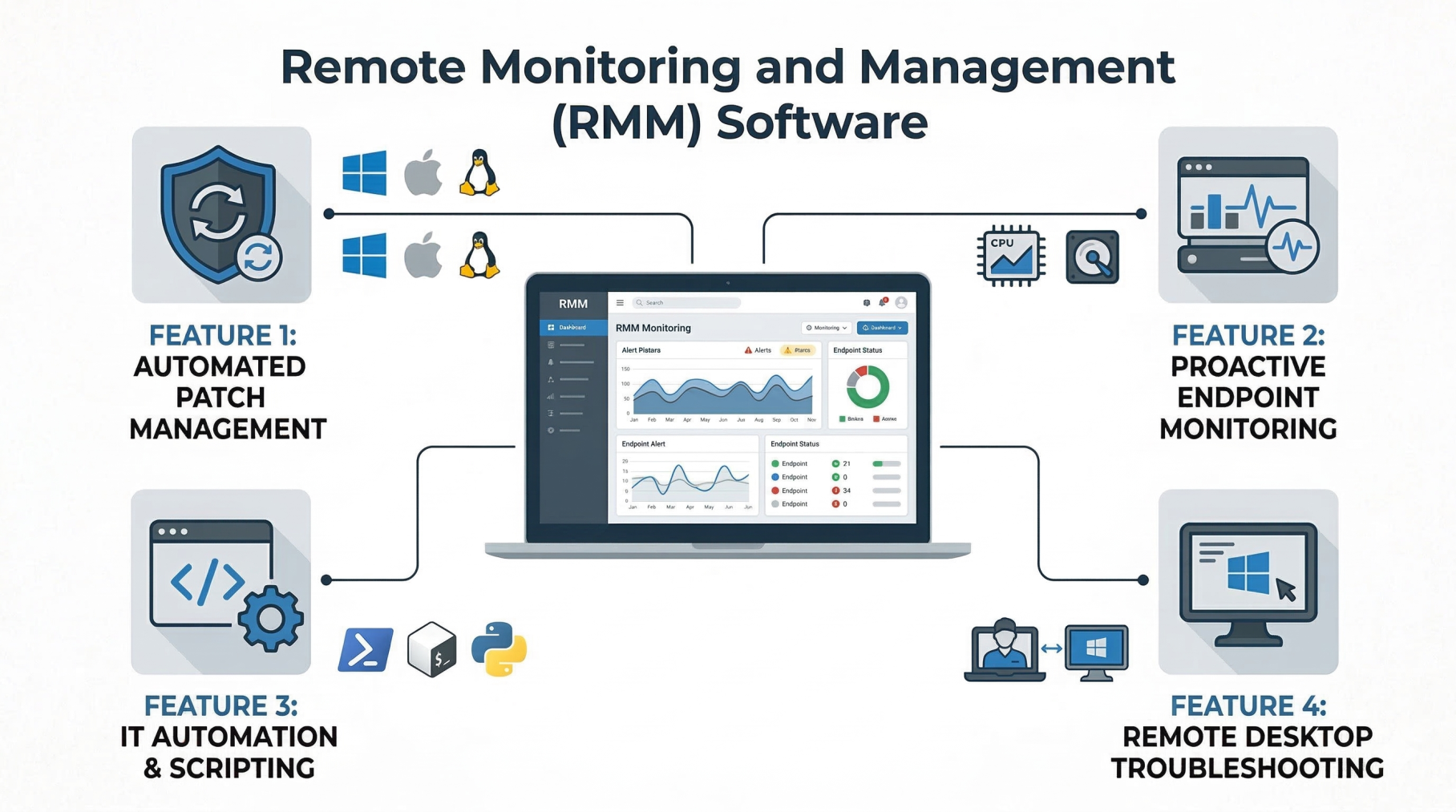
Automated Patch Management in Remote Monitoring and Management (RMM)
Unpatched software is one of the leading causes of cybersecurity breaches. Effective Remote Monitoring and Management (RMM) software automates the patch management process across various operating systems (Windows, macOS, Linux) and third-party applications. Administrators can define patch policies, schedule maintenance windows, and automatically roll back patches if they cause system instability.
Proactive Endpoint Monitoring via Remote Monitoring and Management (RMM)
Instead of waiting for a user to report a frozen computer or a crashed server, Remote Monitoring and Management (RMM) relies on proactive alerting. IT teams configure thresholds for various metrics (e.g., alert if disk space falls below 10%, or if server CPU spikes above 90% for ten minutes). These alerts automatically generate tickets, allowing technicians to resolve issues before the end-user even notices a disruption.
IT Automation and Scripting within Remote Monitoring and Management (RMM)
The true ROI of Remote Monitoring and Management (RMM) lies in its automation capabilities. Technicians can write and deploy custom scripts (using PowerShell, Bash, or Python) to execute simultaneously across hundreds of machines. Common automated tasks include:
- Clearing temporary files to free up disk space.
- Restarting failed system services automatically.
- Deploying new software packages to entire departments.
- Running routine maintenance tasks out of hours.
Remote Desktop Control and Troubleshooting
When automation cannot resolve an issue, Remote Monitoring and Management (RMM) provides secure, attended, or unattended remote desktop access. Technicians can take over an endpoint's screen, access the command line in the background, transfer files, or manage the registry without interrupting the user's workflow.
The Business Benefits of Remote Monitoring and Management (RMM)
Adopting a robust RMM solution transforms an IT department from a cost center into a strategic business enabler. The benefits of RMM software for MSPs and internal IT teams include:
1. Transitioning from Break-Fix to Proactive Maintenance
The traditional break-fix model, where IT only acts when something breaks, results in massive downtime and unpredictable costs. Remote Monitoring and Management (RMM) shifts this paradigm to proactive maintenance. By continuously monitoring IT infrastructure, technicians identify and resolve root causes before they cascade into catastrophic failures.
2. Enhanced Cybersecurity Stature
Cybersecurity and Remote Monitoring and Management (RMM) go hand-in-hand. RMM platforms enforce security policies, ensure antivirus definitions are up-to-date, deploy critical security patches, and monitor for unauthorized software installations. Many platforms also integrate with Endpoint Detection and Response (EDR) tools to isolate infected machines automatically during a ransomware attack.
3. Increased IT Technician Productivity
By leveraging IT automation and a centralized dashboard, a single technician can manage hundreds of endpoints. RMM eliminates the need for site visits for routine maintenance, drastically reducing travel time and allowing IT staff to focus on high value, strategic projects rather than mundane repetitive tasks.
4. Improved Uptime and SLA Compliance
For Managed Service Providers, meeting Service Level Agreements (SLAs) is critical for client retention. The continuous network monitoring provided by Remote Monitoring and Management (RMM) ensures maximum uptime, keeping clients productive and satisfied.
Internal IT vs. MSPs: Utilizing Remote Monitoring and Management (RMM)
While the underlying technology is the same, how organizations use Remote Monitoring and Management (RMM) differs based on their business model.
Remote Monitoring and Management (RMM) for Managed Service Providers (MSPs)
For MSPs, RMM is the lifeblood of their business. It allows them to support multiple disparate clients from a single console (multi-tenancy). MSPs integrate their Remote Monitoring and Management (RMM) platform tightly with Professional Services Automation (PSA) tools. This integration allows automated alerts to create billing tickets, track technician time, and generate detailed executive reports proving the MSP's value to the client.
Remote Monitoring and Management (RMM) for Internal IT Departments
Internal IT teams use RMM to manage dispersed workforces, particularly in the era of remote work. An internal Remote Monitoring and Management (RMM) setup focuses heavily on standardizing device configurations, enforcing corporate compliance, and streamlining employee onboarding and offboarding by automating software provisioning.
Best Practices for Implementing Remote Monitoring and Management (RMM
Investing in RMM software is only half the battle; proper implementation dictates its success. Follow these remote monitoring and management best practices to maximize your tool's efficacy:
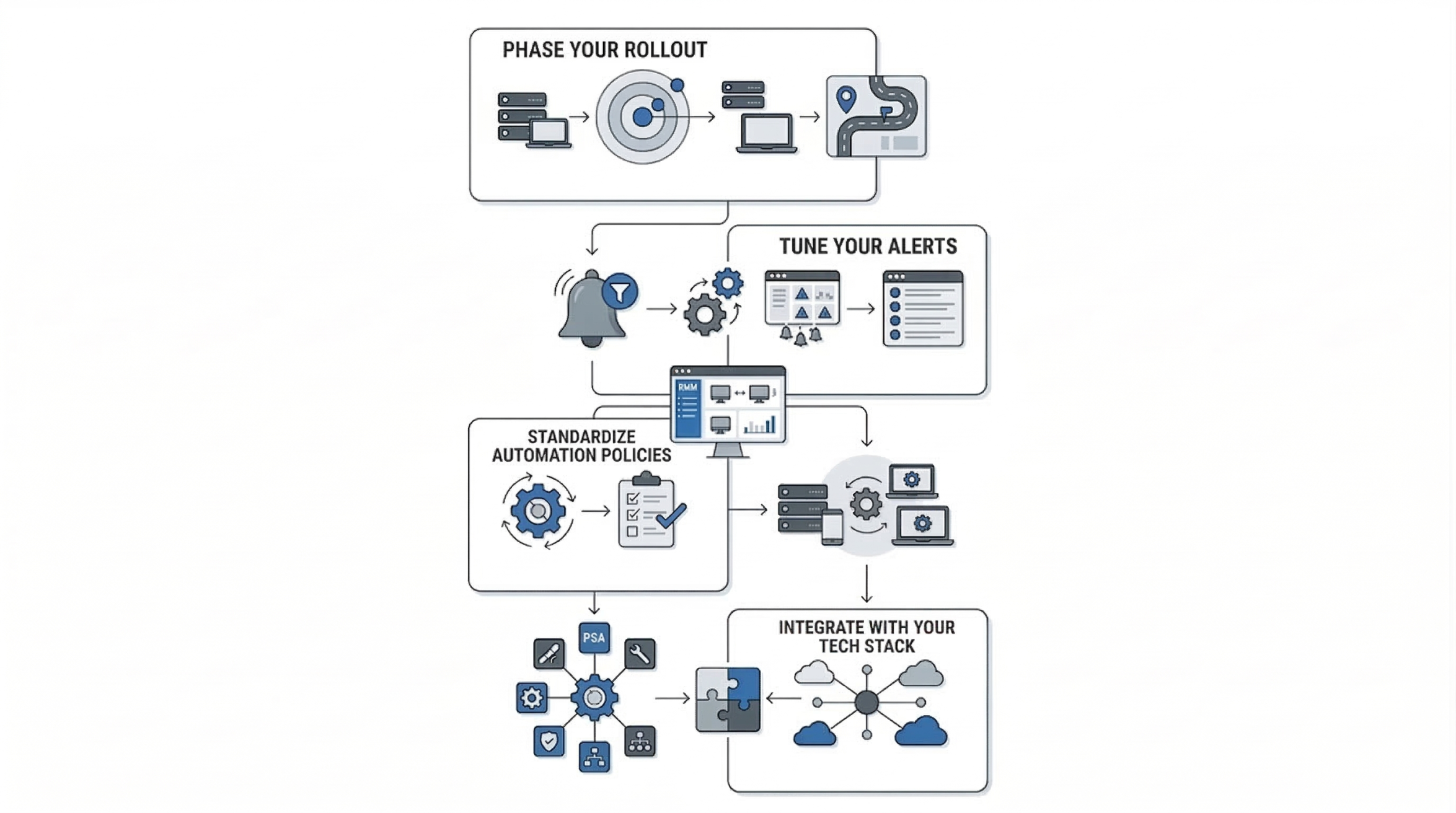
- Phase Your Rollout: Do not deploy RMM agents to your entire IT infrastructure on day one. Start with a pilot group of non critical devices to test agent stability and network impact.
- Tune Your Alerts: "Alert fatigue" is a massive problem in IT. If a technician receives 500 minor alerts a day, they will start ignoring them. Configure your Remote Monitoring and Management (RMM) tool to only trigger high-priority alerts for issues that require immediate human intervention. Use auto-remediation scripts for minor alerts.
- Standardize Automation Policies: Create standardized baseline policies for different device types (e.g., a "Server Baseline" policy vs. a "Laptop Baseline" policy) to ensure consistent patch schedules and security settings.
- Integrate with Your Tech Stack: Ensure your Remote Monitoring and Management (RMM) tool integrates seamlessly with your PSA, helpdesk ticketing system, documentation tools (like IT Glue), and cybersecurity stack.
Remote Monitoring and Management (RMM) vs. Mobile Device Management (MDM)
A common point of confusion is the difference between RMM and MDM. While both fall under the umbrella of Unified Endpoint Management (UEM), they serve different primary purposes.
- Remote Monitoring and Management (RMM): Primarily focuses on the performance, maintenance, and patching of heavy endpoints like Windows/Mac workstations, servers, and network infrastructure. It is heavily focused on IT scripting and deep system-level management.
- Mobile Device Management (MDM): Focuses on managing the data and security of mobile devices (iOS, Android) and modern laptops. MDM relies on OS-level APIs rather than traditional agents, focusing on features like remote wipe, geofencing, and enforcing passcode policies.
Modern IT environments often require both, and many modern Remote Monitoring and Management (RMM) platforms now include integrated MDM capabilities.
The Future of Remote Monitoring and Management (RMM)
As technology evolves, so does the landscape of endpoint management. The future of Remote Monitoring and Management (RMM) is being shaped by several exciting technological trends:
1. Artificial Intelligence and AIOps in Remote Monitoring and Management (RMM
Artificial Intelligence is transforming RMM from proactive to predictive. AIOps (Artificial Intelligence for IT Operations) within Remote Monitoring and Management (RMM) platforms can analyze historical telemetry data to predict hardware failures before they occur. For example, AI can detect specific patterns in disk read/write errors and alert IT to replace a hard drive days before it officially fails.
2. Hyperautomation
Future Remote Monitoring and Management (RMM) tools will rely on complex, multi-step automation workflows that require zero human intervention. This hyperautomation will allow systems to detect an issue, spin up a secure sandbox, test a remediation script, deploy it, and close the ticket automatically.
3. Integration with IoT Devices
As the Internet of Things (IoT) expands, IT departments are increasingly responsible for managing smart devices, industrial sensors, and connected office equipment. Remote Monitoring and Management (RMM) platforms are adapting to monitor these non-traditional endpoints alongside traditional servers and laptops.
Conclusion: Mastering What is Network Design
In today’s digital-first world, system downtime directly translates into lost revenue, disrupted operations, and potential reputational damage. Relying solely on reactive IT support is no longer a sustainable approach for modern businesses. Instead, organizations need proactive solutions that provide constant visibility and control over their infrastructure. Remote Monitoring and Management (RMM) enables this by allowing IT teams to monitor systems in real time, automate routine tasks, and quickly detect potential issues before they impact business operations, ensuring IT environments remain secure, stable, and highly efficient.
Whether you are a Managed Service Provider (MSP) expanding your service capabilities or an internal IT leader supporting a hybrid workforce, mastering RMM is key to building proactive IT operations. With the right platform, well-configured alerts, and strong automation strategies, organizations can transform their IT environments into streamlined, self-healing systems. At AS13.AI, we help businesses implement advanced RMM solutions that deliver proactive monitoring, automated patch management, and intelligent threat detection, keeping IT infrastructures secure, optimized, resilient, and ready to scale without interruption.
Blogs


Office Location
5th Floor, 1174, 24th Main Rd 2nd Sector,
Garden Layout, Sector 2, HSR Layout, Bengaluru,
Karnataka 560102
Email Us: info@as13.ai
Follow Us


Roles
AI
Cyber Security
